How a WhatsApp Chatbot Handles a Customer Enquiry End-to-End (Step by Step)
Follow a WhatsApp chatbot from the first "price kya hai?" message to a confirmed order — every step explained in plain language, with costs and setup time.
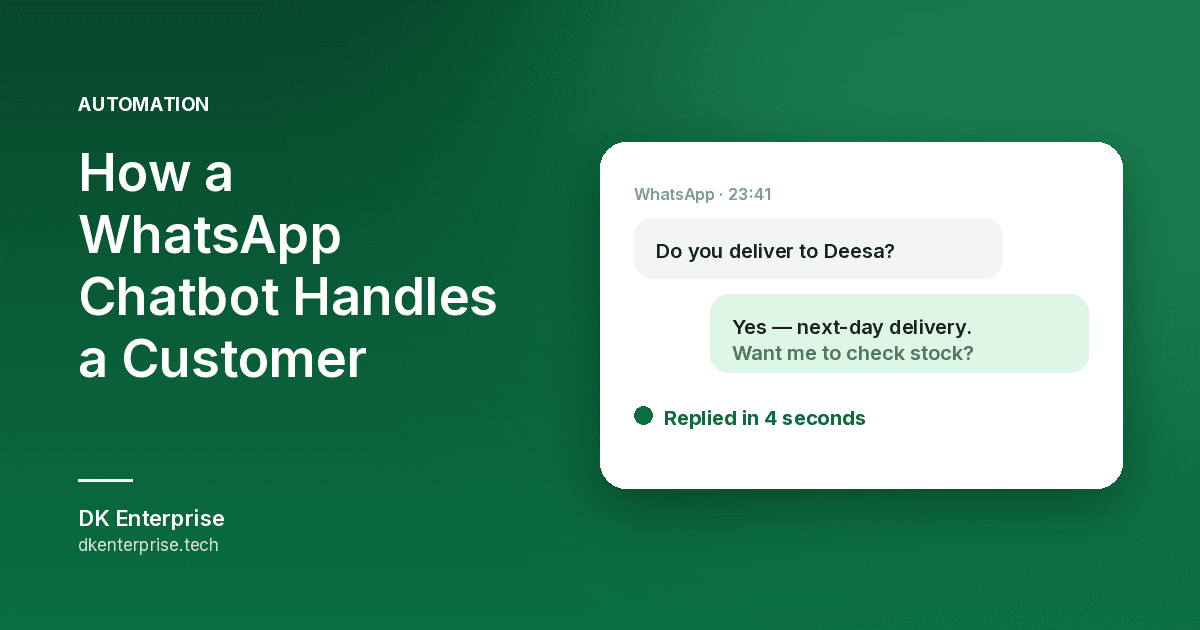
How a WhatsApp Chatbot Handles a Customer Enquiry End-to-End
Most business owners we speak to already understand the idea of a WhatsApp chatbot for business — a robot that replies for you. What they cannot picture is what actually happens between the moment a stranger types "price kya hai?" and the moment that person becomes a paying customer. This guide walks through that entire journey, step by step, in plain language. No code, no jargon — just what the customer sees, what you see, and what the system does in between.
Everything described here is standard, off-the-shelf WhatsApp automation. Nothing exotic. If you sell products, take bookings, or answer the same five questions all day, this is the flow that gives you your evenings back.
Step 1: The Enquiry Arrives
A customer finds your number — from Google, your website, a poster, a friend, or a Google Business Profile listing — and sends the first message. It is almost never a neat question. It is usually one of these:
- "Hi"
- "Price?"
- "Aa available che?"
- A forwarded photo of a product with no text at all
Without automation, that message sits unread until you happen to open WhatsApp. If that is two hours later, the customer has often already messaged two competitors. Speed of first reply is one of the few things in sales you fully control — and a bot controls it perfectly.
Reply lands in seconds
The chatbot answers immediately with a friendly greeting in the customer's language, your business name, and a short menu of options. Not a wall of text — three or four choices, numbered, so replying takes one tap. The customer now knows they have reached a real, working business, and that alone stops most of them from wandering off.
Step 2: The Bot Asks the Right Questions
This is the part that saves the most time. Every business has a handful of details it needs before it can quote anything: which product, what quantity, what size, which date, which area for delivery. Today you type those questions out by hand, one enquiry at a time, dozens of times a week.
The chatbot asks them in a fixed order and waits for each answer. Because the questions are always the same, the answers arrive in a clean, comparable form. By the time a human is involved, the enquiry is already complete.
It handles the boring questions alone
Timings, address, payment methods, delivery charges, warranty, whether you are open on Sunday — the bot answers all of these instantly and never gets tired of repeating itself. In most shops this is the majority of incoming messages, and it disappears from your day entirely.
It knows when to step aside
A good bot is not stubborn. When a customer asks something unusual, gets frustrated, or simply types "talk to person", the conversation hands over to you with the full chat history attached. You pick up mid-conversation already knowing what they want. This handover rule matters more than any other single setting — a bot that traps people in a loop does more damage than no bot at all.
Step 3: The Enquiry Becomes a Record
Here is where WhatsApp automation enquiry handling stops being a chat trick and starts being a business system. Everything the customer typed gets written into one place — a Google Sheet, a simple dashboard, or your website's admin panel. Name, number, what they asked for, when they asked, and where they came from.
That single change fixes a problem almost every small business has: enquiries living inside one person's phone, invisible to everyone else and impossible to count. Once they are in a list, you can see how many you get per week, which product gets asked about most, and how many actually converted. You can also connect this to broader business automation so the same record triggers an invoice, a reminder, or an entry in your stock sheet.
Nothing gets forgotten
Every enquiry gets a status: new, quoted, waiting, closed. Anything sitting untouched shows up clearly instead of quietly dying in a scroll of chats. The lost sale in most small businesses is not the customer who said no — it is the one nobody replied to.
Step 4: You Get the Alert, Customer Gets the Answer
The moment a qualified enquiry is complete, you get a notification with the summary — no scrolling through chat bubbles to reconstruct what was said. Meanwhile the customer has already received your price list, catalogue, location pin, or brochure automatically, so they are not sitting in silence.
If your prices are fixed, the bot can quote directly. If they vary, it sends a range and tells the customer when a human will confirm. Setting expectations honestly at this point prevents most of the follow-up chasing that eats your afternoon.
Step 5: Follow-Up Happens Without You
Most enquiries do not convert on day one. People ask, then get busy. The one business that politely follows up is usually the one that gets the order — and following up manually is exactly the task everyone drops first when work gets hectic.
Automated follow-ups run on a schedule you set: a gentle reminder after a day or two, a second one after a week, then stop. Not spam — one or two messages, easy to opt out of. This is where a chatbot usually pays for itself, because it recovers enquiries you had already written off.
The order closes on WhatsApp
The customer confirms, you send a payment link or UPI QR, and the deal closes inside the same chat window they started in. If you also run an ecommerce website, the bot can link straight to the product page so the customer pays and checks out without ever calling you. For shops in and around Bhabhar, we often pair this with local ecommerce setup so orders and stock stay in one system.
What This Costs and How Long It Takes
Prices vary with how complex your flow is, but as broad ranges for Indian small businesses: a basic auto-reply and menu setup typically sits in the low tens of thousands of rupees, while a full flow with lead capture, follow-ups, and payment links costs more. On top of the build there are WhatsApp's own per-conversation charges, which are small but real, and any hosting for the dashboard.
Setup time is usually a couple of weeks, and most of that is not technical — it is you deciding what the bot should say. Businesses that already have their questions and price list written down get live much faster. You can see how we structure this on our AI WhatsApp automation service page, and there is a local version at WhatsApp automation in Gujarat.
What you need before starting
- A business phone number that is not tied to a personal WhatsApp account
- Your top ten customer questions, written down as you would actually answer them
- A price list or price range you are comfortable sharing openly
- A clear rule for when a human takes over, and who that human is
Where WhatsApp Bots Go Wrong
Being honest about the failure modes is more useful than a sales pitch. The three we see most:
- Too many menu levels. If a customer has to tap through five screens to ask a simple question, they call a competitor. Keep it to two levels wherever possible.
- No escape hatch. A bot with no "talk to a person" option will annoy exactly the customers who were ready to spend the most.
- Set up and forgotten. Prices change, products get discontinued. A bot quoting last year's rate costs you trust. Review the script every few months.
A chatbot is not a replacement for you. It is a filter that removes repetitive work so your actual attention goes to customers who need it. Paired with a fast, findable website — see our web development service — it turns scattered WhatsApp messages into a system you can measure and improve.
Ready to Stop Typing the Same Reply?
If you are answering the same questions every day, or you suspect enquiries are slipping through unanswered, a WhatsApp bot in India is one of the cheapest fixes available to a small business. Contact DK Enterprise and tell us what your customers usually ask — we will map out the flow for your business and give you a clear, honest quote before any work starts.
Frequently Asked Questions
Will customers know they are talking to a bot?
Yes, and they should. Trying to disguise automation as a human backfires the moment the bot gets something wrong. A short, honest line at the start — that this is an automated assistant and a person is available any time — sets the right expectation. In practice, most customers do not mind at all, as long as the answers are fast and useful and a real person is one message away.
Can the chatbot reply in Gujarati or Hindi?
Yes. Scripted replies can be written in any language you like, including a mix, and the bot can ask which language the customer prefers as its very first question. For free-typed questions, quality varies by language and by how the system is built, so it is worth testing with real messages from your own customers before going live.
What happens if the bot cannot answer something?
It should hand over to a human — that is the correct behaviour, not a failure. The conversation moves to you or your team with the full history, and the customer is told a person is joining. Well-built flows also log every question the bot could not answer, so you can add the common ones to the script over time and the system quietly gets better each month.
Written by DK Enterprise
Published on 23 August 2026